
diados
Extension of the Day

diados

5.0 FREE
  • Screenshot 1

Description

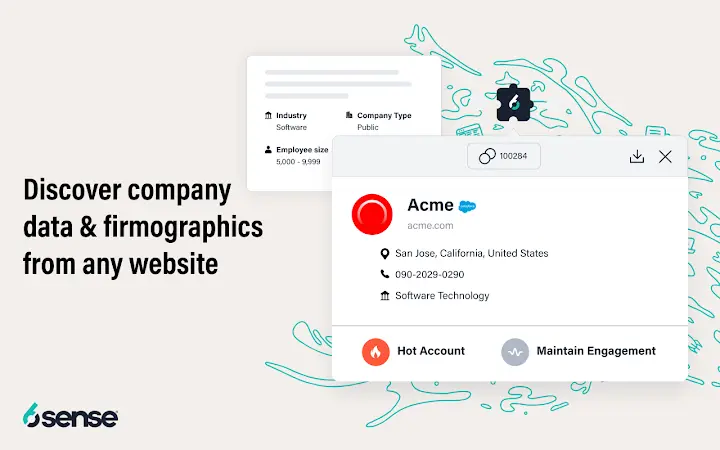
Slintel’s FREE Chrome Extension gives you:Company InformationEmail and contact informationTechnology stack- TechnographicsSocial Feed- TwitterNews FeedHow to use this extension?- Install the plugin- Log in/ Sign up using your work Email ID- Go to your prospect’s company website- Click on the Slintel icon on your Chrome Extension Bar- The below data points will be populated automatically in the pop up:Company Information: Find company information directly from their webpage by clicking on the first section. Find all the information related to a company- Employee count, Company type, Funding date, Total Funding, and their products and services.Email and contact information: Tap the Leads icon to find email and any other available contact information for people in the company. The extension will give you “Most Common Pattern” for email addresses to make your cold prospecting easier, and also name, designation, email and location of employees.Technology stack- Technographics: The technology section gives you the whole technology stack of the company. From Sales, marketing, customer management to communications, find all technographic information about a company in a single click.Social Feed- Twitter: Find all recent twitter activity for companies right at your fingertips. Once you have the company that you are targeting, you can seamlessly find all of their social posts for Twitter right in the extension. Now there is no need to go to your social accounts and manually look up a business, directly click on the Slintel icon and find all their latest tweets here.News Feed: Now that you have company information, lead information, and their latest twitter feed, you NEED to know what the world is saying about them. Go to the Newsfeed section to find all articles, blogs, and related posts about the company. This also eliminates the need to do further research just to find out what is currently happening with the company.Slintel is a leading sales intelligence and lead generation tool, and now we have bundled up our best features into this FREE chrome extension. Experience our platform for free, and moreover, get relevant information for company and contacts right from your webpage!Approach the smart way to prospecting and outreach: Get information directly from the page you are on. Find B2B leads, company and contact information, twitter feed, technology stack, and their news feed right at your fingertips.Simply install the app, click on the “Slintel” button, and voila! You have at your disposal a range of information about the website/company: company descriptions, financials, products and services, employee count, technographics, news articles and social feeds all in one place.Get in Touch with:Web Site: www.slintel.comEmail: rahul@slintel.com

Guides & Tutorials for 6Sense SI Extension for Chrome

How to install 6Sense SI Extension for Chrome
  1. Click the Preview / Download button above.
  2. Once redirected, accept the terms and click Install.
  3. Wait for the 6Sense SI Extension for Chrome download to finish on your device.
How to use 6Sense SI Extension for Chrome

This software is primarily used for its core features described above. Open the app after installation to explore its capabilities.

User Reviews for 6Sense SI Extension for Chrome 0

    No reviews found

Similar Apps


